
How to Spot Excessive Agency in an AI Agent Before It Ships
Learn to spot excessive agency in an AI agent, fix it with a human approval gate, and see why a fix in code still needs runtime testing.
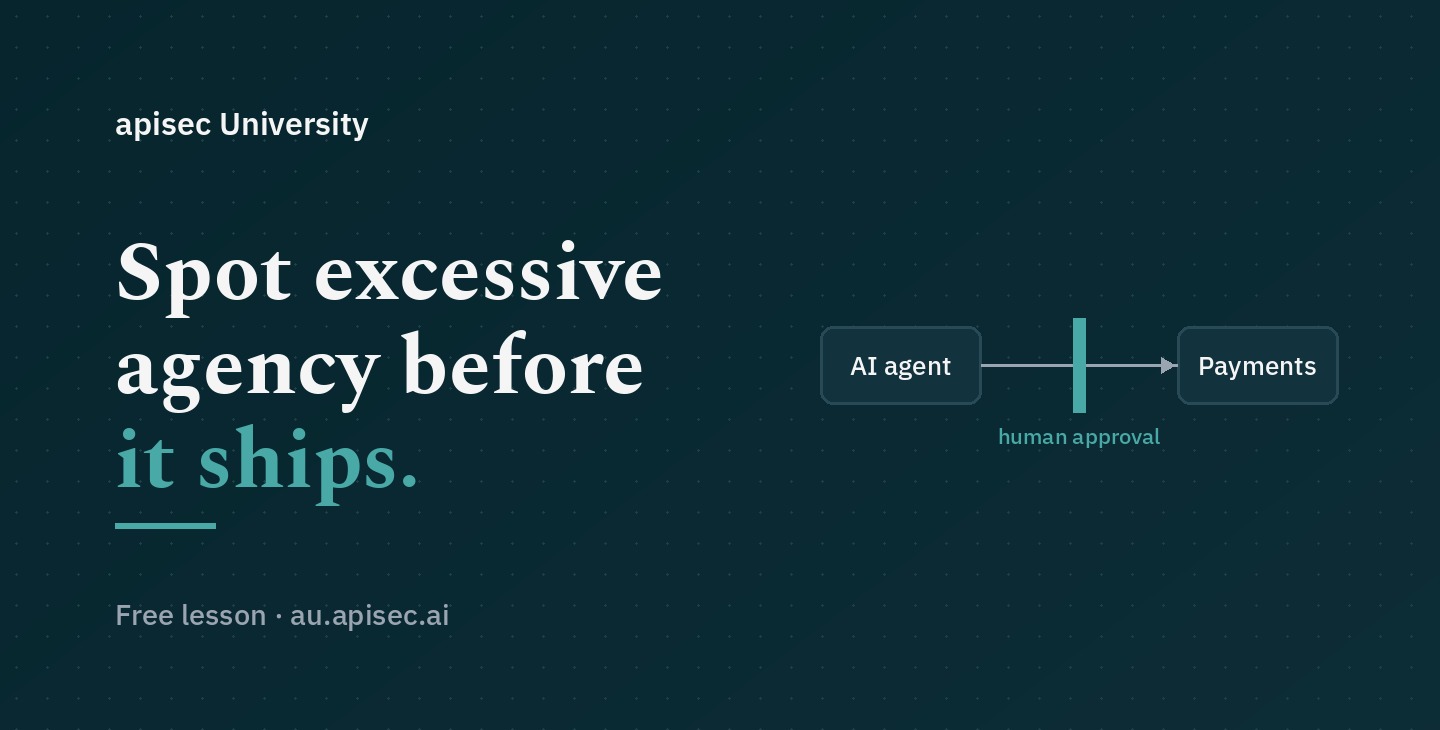

Here's what you'll learn: what AI attack surface is, how to recognize excessive agency in an AI agent, why a human approval gate is the standard fix, and why a fix you can see in code still needs testing at runtime. The 90-second demo below shows all four in one coding session.
Lesson 1: AI attack surface is what an AI component can do
Attack surface is every way an attacker can interact with or influence an application. AI attack surface is the part added by AI components: the models an app calls, the agents it runs, the tools those agents can use, and the permissions those tools hold.
An agent's tools matter most. A tool is a function the model is allowed to call, such as "look up an order" or "refund a payment." When a developer adds a tool, the AI can do something new. Nothing else has to change: no new endpoint, no new library, no new server.
Lesson 2: Excessive agency means an agent can do too much
OWASP, the open security community, publishes a Top 10 list of risks for applications built on large language models (LLMs). One of them is Excessive Agency: an AI system that can take harmful actions when the model produces unexpected, ambiguous or manipulated output. In the 2026 edition, it ranks third.
OWASP's guidance describes three root causes. Learn to spot each one in code:
- Excessive functionality: a tool does more than the task needs. A "read order status" task gets a tool that can also edit orders.
- Excessive permissions: a tool connects to other systems with more access than it needs, such as a database account that can delete rows.
- Excessive autonomy: the agent takes a high-impact action, like moving money, with no independent check.
Why it matters: models can be wrong, and they can be manipulated. A prompt injection (text that tricks the model into following an attacker's instructions) can push an agent to call a tool its user never asked for. The more an agent can do on its own, the more damage one bad output can cause.
Lesson 3: Watch it happen in one session
In the demo, a support app has an orders API, an AI chat agent and a knowledge base. A developer asks Claude Code, an AI coding agent, to add one feature: let the support agent refund a customer's order.
The coding agent adds a refund_payment tool. Then Surface Code AI, a free, open-source check from apisec, runs automatically on the edit and flags it:
"The AI can now move money, the refund can't be undone, and no human approves it." (0:34)
That sentence names all three warning signs: a new high-impact capability (move money), an irreversible action (can't be undone) and no human in the loop.
Lesson 4: The standard fix is a human approval gate
Surface Code AI recommends putting a human approval gate in front of the action. An approval gate is a check in code that stops the action until a person says yes, for example through an approval queue, a ticket or a chat prompt to a support lead.
The developer replies, "Do that." The coding agent wraps both refunds and cancellations in an approval gate, and Surface Code AI checks again and confirms the risk is cleared. This matches OWASP's advice to "require a human to approve high-impact actions before they are taken."
Two more habits go with the gate:
- Give each tool the narrowest permissions that work.
- Default to "deny." In the demo, the gate returns "not approved" until a real approval channel is wired in, so a missing integration fails safe.
Lesson 5: Seeing the gate isn't the same as proving it works
The demo ends with an important limit:
"Static analysis shows the gate is on the path. Runtime testing proves whether it holds." (1:11)
Static analysis reads code without running it. It can show the gate exists. It can't show whether someone can get around it. A second code path might reach the payment system without the gate, or the approval step might accept a request from any user.
Runtime testing answers those questions by sending real requests to the running application and checking what actually happens. That's the job of apisec Exploit Testing.
Try it yourself
Use your own code or an intentionally vulnerable practice app. Never test systems you don't own or have permission to test.
- Map an agent's tools. Pick an AI agent project you're building. List every tool the model can call. For each, write down what it does, what it can change and whether that change can be undone.
- Run Surface Code AI. It's free and runs offline. Install it with
pip install "apisec-ai-surface[mcp]"(Python 3.10 or later), then runai-surface init --claude-codeto add it to Claude Code. To check any repository from the command line, runuvx --from apisec-ai-surface ai-surface scan .. Compare its AI bill of materials with your list from step 1. - Add a gate. Take one tool that takes an irreversible action and wrap it in an approval check that denies by default. Run Surface Code AI again and confirm the finding clears.
- Try to break your own gate. Look for another path to the same action, and check who is allowed to approve. Write down what you'd need to test at runtime to be sure.
For more free tools that map applications, APIs and AI systems, see apisec Surface.
Keep learning, free
Go deeper with two free apisec University courses:
- Building Security into AI
- MCP Security Fundamentals, for the servers that give AI agents their tools
Latest Articles
AI Agents Are Running the API Security Syllabus. Here's What to Study.
The FBI published what AI attack agents exploit. Every weakness on the list is one you can learn to find and fix. Here's where to start.
What Happens When You Report a Cyber Incident to the FBI
When should you report a cyber incident, and what happens next? Six practical lessons from FBI Special Agent David Dahle at apisec|con 2026.
How to Spot Excessive Agency in an AI Agent Before It Ships
Learn to spot excessive agency in an AI agent, fix it with a human approval gate, and see why a fix in code still needs runtime testing.
AI Agents Are Running the API Security Syllabus. Here's What to Study.
The FBI published what AI attack agents exploit. Every weakness on the list is one you can learn to find and fix. Here's where to start.
What Happens When You Report a Cyber Incident to the FBI
When should you report a cyber incident, and what happens next? Six practical lessons from FBI Special Agent David Dahle at apisec|con 2026.
Earn your APIsec University Certificate
Earn an APIsec University certificate and badge for completing any of our courses.
Post your badge on LinkedIn and share your accomplishments. You can even receive CPE credits for taking these courses.


